Invoice automation for Visma Horizon
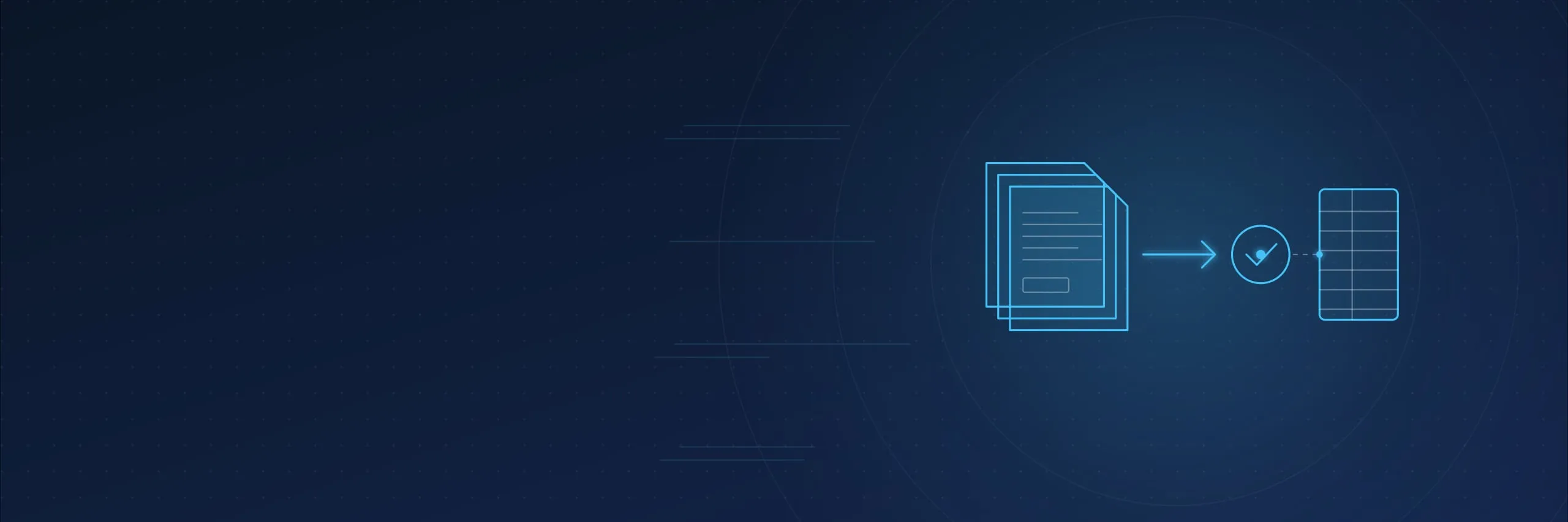
We pick up invoices from a Google Drive folder, capture their details and line items, check totals and possible duplicates, and create the received invoice directly in Visma Horizon through its REST API with Sagatave (draft) status. We then read the document back from Horizon and verify the result. Your accountant reviews the drafts and resolves exceptions; posting and payment remain separate steps.
Start with a description of your current process and approximate invoice volume.
When automation helps
Staff receive invoices through different channels, search documents for details, re-enter information and follow up on approvals by email. As document volumes grow, it becomes harder to see where an invoice is and why it is still waiting.
We join these steps into one process: a document from Google Drive becomes a received invoice draft in Horizon, every document has a status and a link to the original, and exceptions stay visible to the accountant.
What we automate
Intake from Google Drive
We connect an agreed Google Drive folder. New documents are picked up automatically, and each original and its version are retained. Email, e-invoice exchange and other channels can be added as a separate stage.
Recognition
We extract invoice details, line items, discounts, totals, VAT and currency from PDFs and scans. The set of fields is agreed with your accounting team.
Checks
We check required fields, totals and VAT arithmetic, the parties to the document and whether the tax scenario is supported. Through the Horizon API we match reference data and look for existing invoices so no duplicate is created.
Draft in Visma Horizon
Suppliers and reference data are matched against current reference lists and suitable accounting history. The received invoice is created through the Horizon REST API with Sagatave status; no manual file import is needed. Nothing is posted or paid.
Result verification
We read the created document back from Horizon and compare its details, totals and Sagatave status, and confirm that nothing was posted. The document keeps a link to the original in Google Drive.
Exceptions and log
Incomplete, ambiguous and unsupported documents stay in the accountant's queue with a reason. If the outcome of a delivery is unknown, retries are blocked until it is checked. Every action is recorded in a log.
Your accounting team stays in control
Automation creates drafts only. Accounting rules, cost allocation and final approval stay with your accountant; posting and payment follow your company's existing procedure.
Configuration reflects how you prepare documents today: the line-item detail needed, mandatory fields and accounting dimensions assigned by your accountant. We document these rules using accepted examples and test them during the pilot.
Build on the tools you already have
We work through the Visma Horizon REST API. Before launch we check your company's connection, user permissions, reference data and supported invoice types. File import, HoP approval or other channels are assessed separately.
How implementation works
- 01
Review the current process
We map invoice sources, the reference data in use and the problem steps. We check access to the Horizon REST API and the permissions required.
- 02
We test on your invoices
We run a set of typical and difficult documents and show which drafts are created automatically and which cases go to exceptions.
- 03
Agree the rollout
Confirm scope, budget, access rights and acceptance criteria. Implement the solution, train staff and agree ongoing support.
What you receive
- Automatic creation of received invoice drafts in Horizon for the agreed document types.
- Rules for checks, data matching and duplicate protection.
- An exception queue for the accountant with a reason for each document.
- An exchange log with Horizon and a link to the original in every document.
- Staff instructions and an agreed support arrangement.
Frequently asked questions
Does the system create invoices in Horizon automatically?
Yes. For supported scenarios, the received invoice is created directly through the Horizon REST API with Sagatave status, and the created document is then checked. This is separate from posting, approval and payment. We set up the connection and permissions for your company and validate the workflow in a pilot.
Is every invoice processed without human involvement?
Automation handles supported scenarios that pass the configured checks. Missing information, inconsistent amounts, unsupported document types and uncertain delivery outcomes remain visible for review. Your accountant keeps control of accounting decisions.
Do we need to import an XML file manually?
No. The automatic API workflow does not require staff to import each invoice file: the system sends the document to Horizon and keeps the confirmed result. A file-based integration can be assessed separately where required.
Does the original PDF appear in Horizon?
The Horizon document gets a link to the original in Google Drive so the accountant can open it. Attaching the PDF or image directly in Horizon is a separate capability that we agree and verify separately.
Can invoices come from email or e-invoice exchange?
Yes, as a separate stage. The main channel is a Google Drive folder; email, e-invoice exchange or HoP approval can be connected by agreement and tested on your documents.
Will Visma Horizon need to change?
You need access to the Horizon REST API and a user allowed to create received invoices. We check the connection, permissions and reference data with your Horizon specialist before launch.
Can we start with one supplier group?
Yes. The first stage can cover selected suppliers, invoice types or a single receipt channel. The workflow can be expanded after the results have been reviewed.
Let's review your invoice workflow
Tell us where invoices come from, how many you process each month and which steps staff handle manually. We will suggest a first stage and explain what needs to be checked before implementation.
Let’s discuss your requirements
Tell us what needs fixing, implementing or automating, and we will suggest the next step. If work has already stopped, call us straight away.